Ten clients, one inbox, nothing dropped.
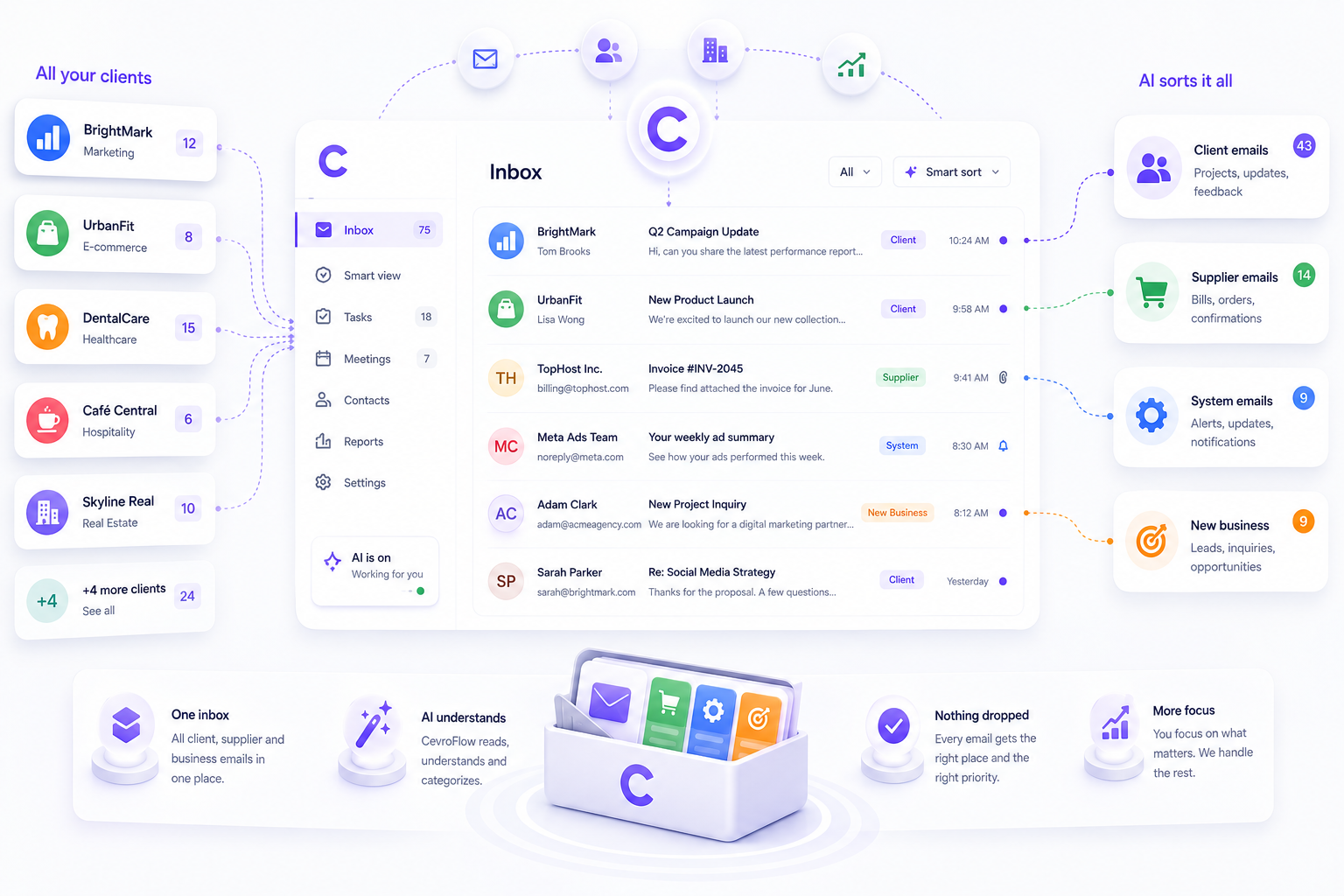
Client mail, supplier mail and new business arrive in the same place and look identical. CevroFlow tells them apart before you open them.
What actually goes wrong
Client threads and new business look the same
A revision request and a warm lead arrive minutes apart with equally unhelpful subject lines. One is urgent revenue and the other is urgent delivery, and you find out which by opening both.
Approvals go quiet and nobody notices
You sent the creative on Tuesday. It is Friday. Nobody chased it because nothing in the inbox marks the absence of a reply.
Promises live in threads, not anywhere you can see them
"We will have the revised scope over by Thursday" is a commitment. It is also buried in message fourteen of a thread nobody has reopened.
How the day runs
- 1
New business is separated on arrival
Mail is sorted into Needs Reply, Opportunity, Meeting, Bills or Low Priority before you look at it, so a lead never queues behind a round of revisions.
Sorted before you open the inbox.
- 2
Every promise gets a date
What you told an account you would deliver, and when, tracked as a real obligation instead of a sentence in message fourteen.
Yours and theirs, on one board.
- 3
Silence gets surfaced
Three quiet days after you sent the creative and the thread moves to the waiting board, sorted by how long rather than how recent.
3 days, then it comes back to you.
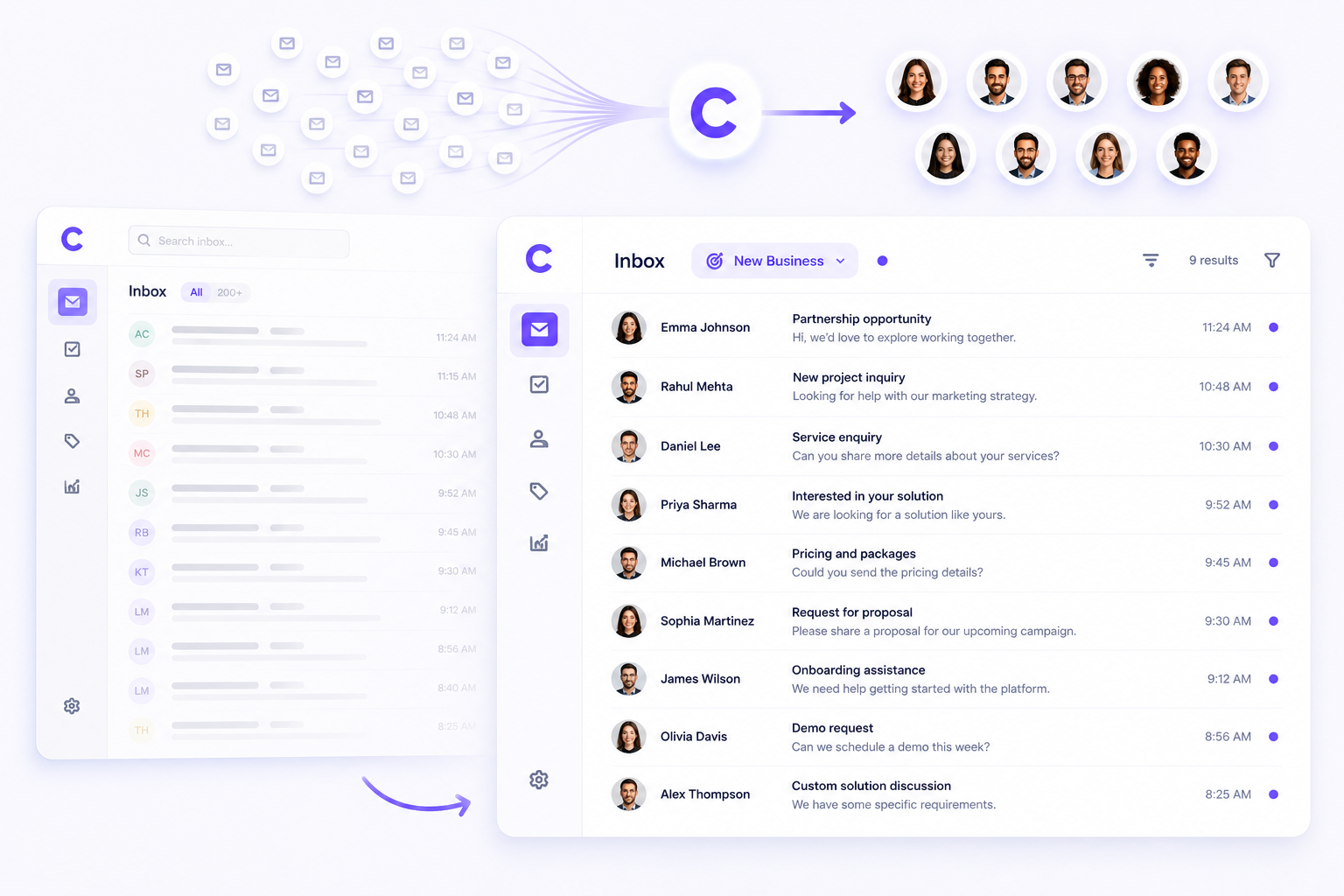
Nine leads that were sitting in two hundred emails
New business and client delivery arrive in the same place and look identical. This is the same inbox with one category selected.
What you actually get
10
Inboxes on one workspace
Business plans connect up to ten Gmail accounts. Each one syncs and sends separately, so a shared studio address and five account managers are one workspace, not five subscriptions.
Per member
Inbox access
An account manager sees the accounts they are given and nothing else. Sharing a workspace does not mean sharing every client.
The approval that went quiet on Tuesday is on Friday's list, without anyone remembering it.
Waiting is measured from the moment your reply went out, not from the last message in the thread. Chasing stops depending on a habit that survives a busy week.
What it does not do
Every tool has edges. These are ours, so you find out here rather than in week two.
It reads email. Approvals that happen in Slack, in a client portal or on a call are invisible to it.
It does not send. Every follow-up, every chase and every reply is drafted and waits for you to click.
It is not a project tool. There are no timelines, no resourcing and no client-facing views.
The first sync reaches back thirty days, so an account you have run for two years starts with the last month of it.
The parts that do the work
Questions
- Can each account manager see only their own clients?
- On Business plans, yes. Inbox access is per member, so a team of five can share a workspace without everyone seeing every account.
- Does it work with multiple client inboxes?
- Yes. Business plans connect up to ten Gmail accounts, each syncing and sending separately.
- Will it reply to a client without me?
- Never. Drafts are prepared and wait for you. Nothing leaves the workspace until a person clicks Send.

Stop managing email. Start managing your business.
Connect Gmail and see your first prioritized day in about four minutes.
7-day free trial. No credit card. Connect Gmail in about 4 minutes.